
Check your stock
See units in stock by item and brand.
- 1
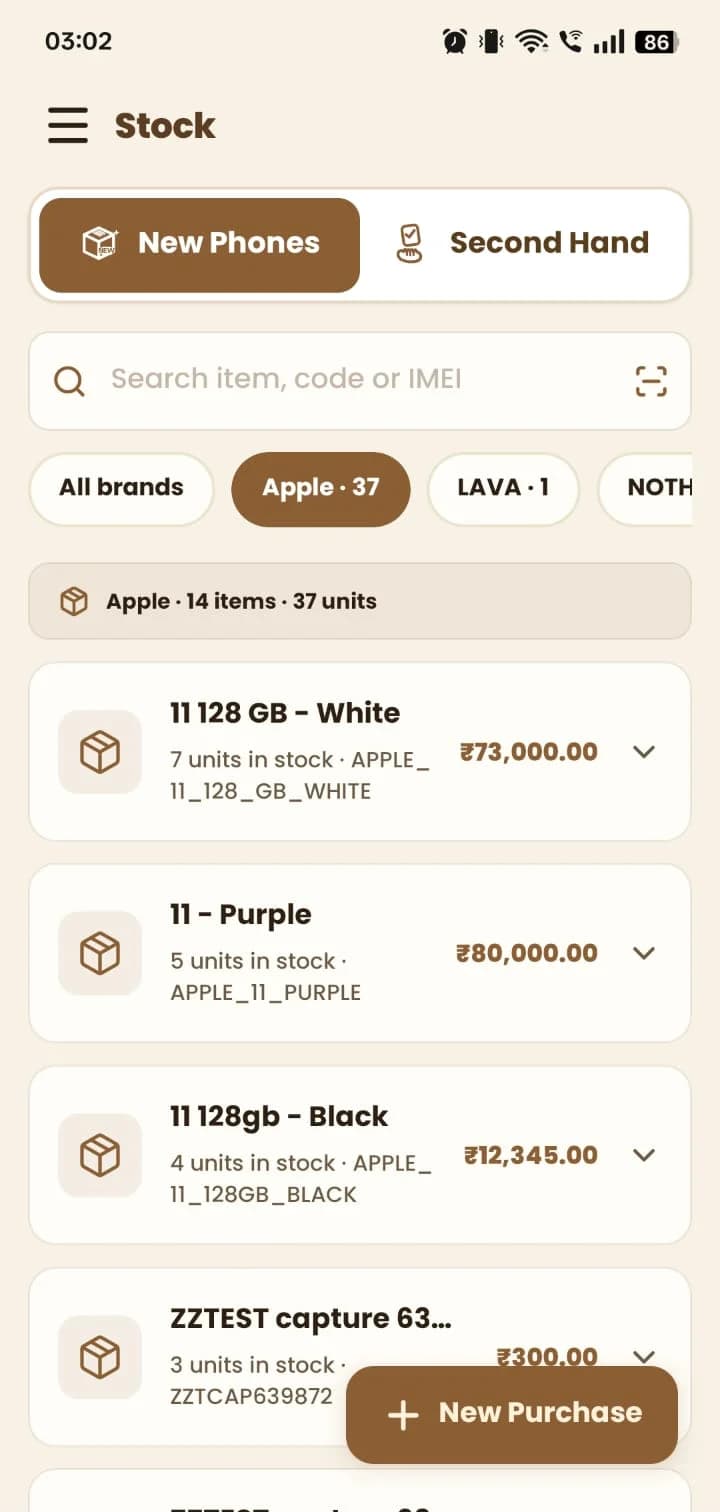
Open Stock. Search by item, code or IMEI, or scan a barcode.
- 2
Filter by brand to see how many items and units you hold, and each item's price.
- 3
Tap an item to expand it. Use New Purchase to bring in more stock.
Still stuck? Write to us at hello@mydukan.app