
Sign in and read your dashboard
Open the app, sign in and see how today is going.
- 1
Open the MyDukan app and sign in with your phone number (or your company code and username) and password.
- 2
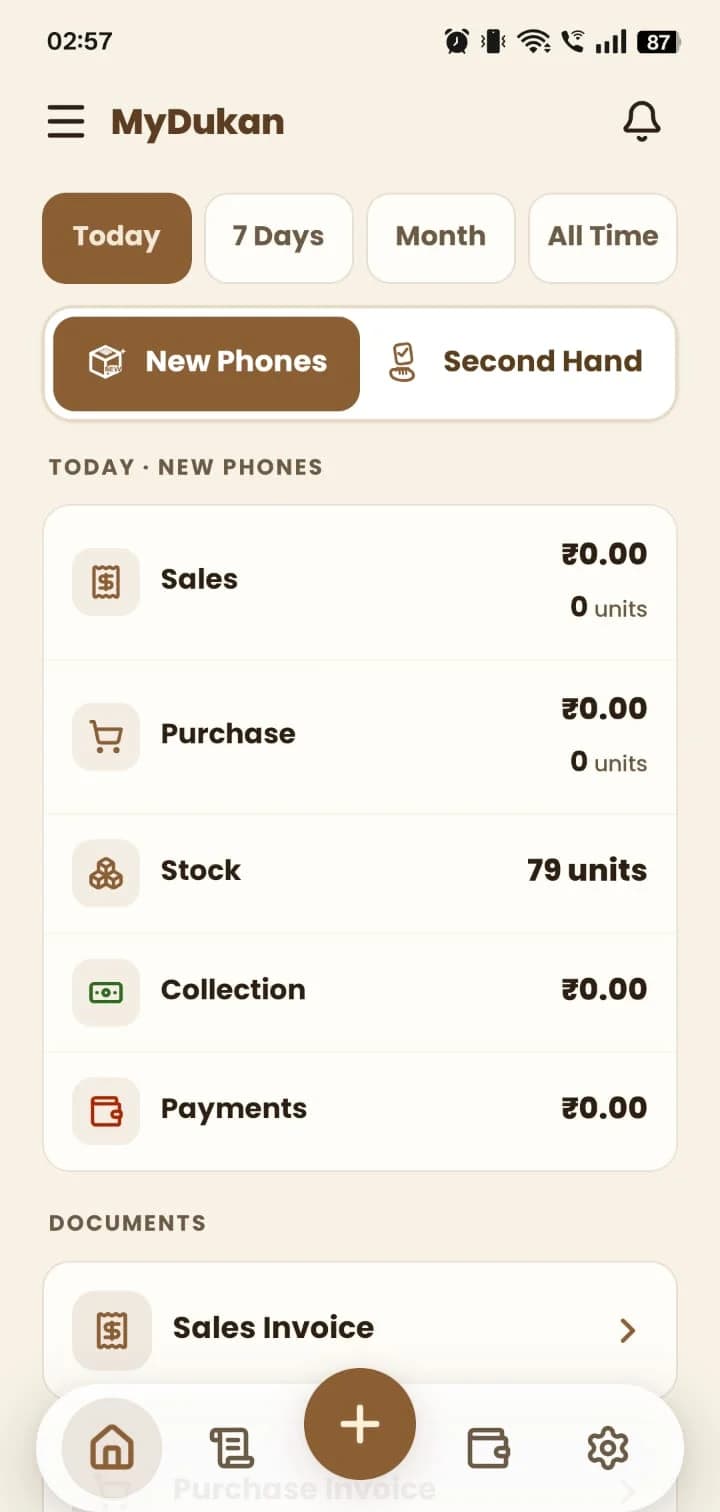
The dashboard shows Sales, Purchase, Stock, Collection and Payments. Switch the period with Today, 7 Days, Month or All Time.
- 3
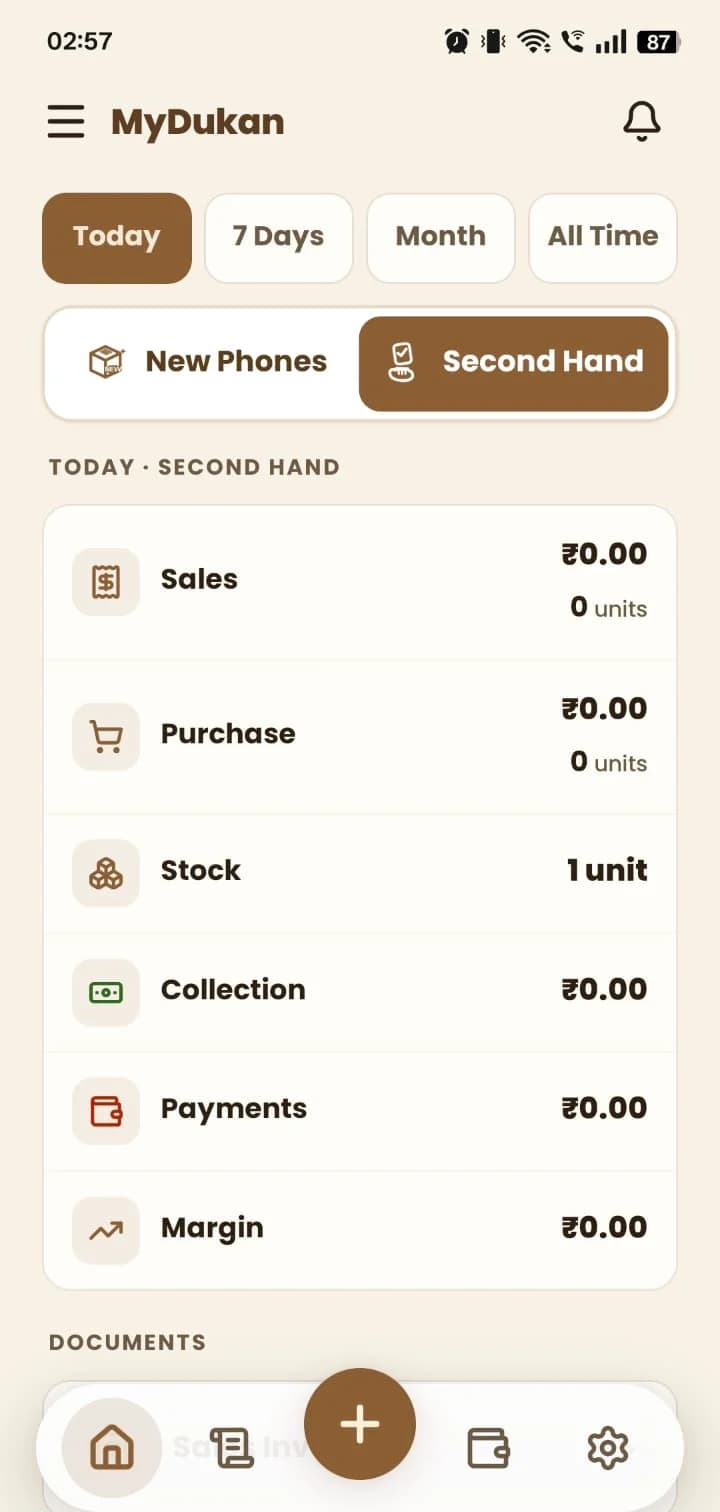
Tap Second Hand to see the same numbers for used phones, including your margin.
Still stuck? Write to us at hello@mydukan.app