Skip to content

Jai Jawan, Jai Kisan, Jai Dukan – MyDukan!Simplify.
Your Business
Operations.

Affordable billing, stock & accounts for every Indian shop.

GST billing, stock, IMEI tracking and accounts – built for shops that can't afford costly software or a full-time CA.

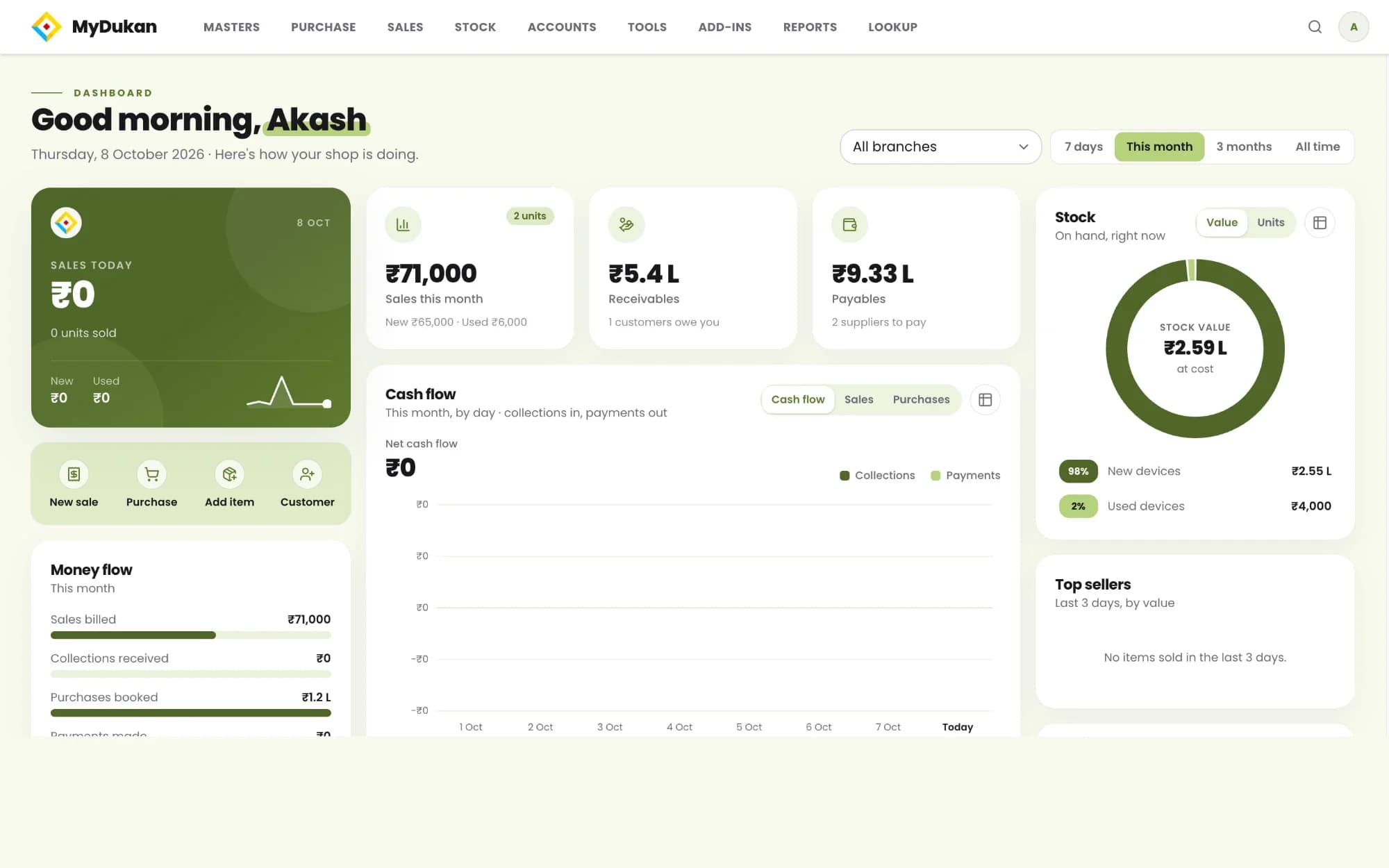
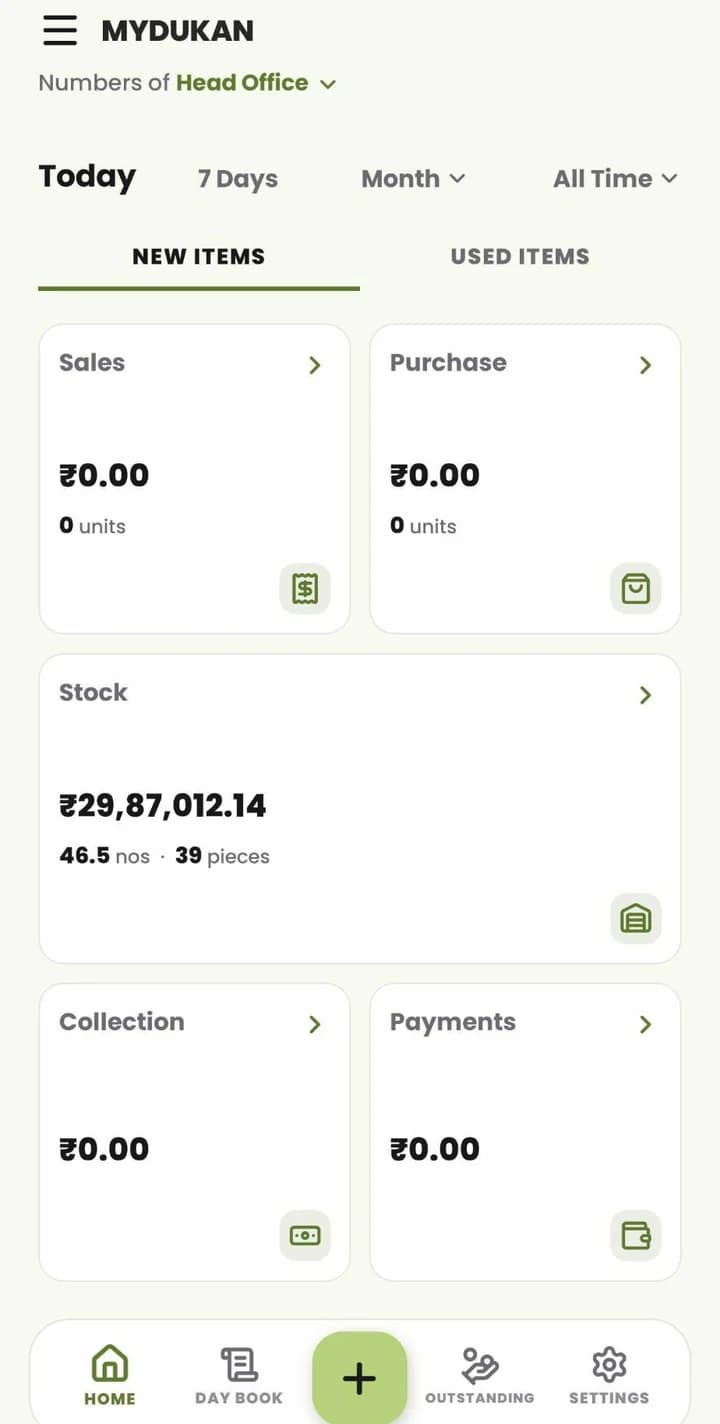
MyDukan home dashboard for Head Office: sales, purchase, stock, collection and payments, with Today / 7 Days / Month / All Time and new or used items
The MyDukan web dashboard on a laptop and the real MyDukan mobile app dashboard on a phone.
Invoice & document types
64
Payment modes incl. UPI
13
Stock movement types
12
GST returns: GSTR-1, 2 & 3B
3

Built for every kind of Indian business

  • Retail shops
  • Multi-branch
  • Electronics
  • Any trade

Features

Everything You Need to Run Your Shop

New in 2.0Fresh in this release

  • Billing made easy

    • GST invoices, quotations, sales orders and delivery challans in seconds
    • Type the customer's mobile number – their details fill in automaticallyNew in 2.0
    • Cash, credit and finance (EMI) sales, with split payments
    • Share invoices on WhatsApp as PDF
    • Purchase invoices, orders, challans and returns – find suppliers by mobile numberNew in 2.0
  • Stock you can trust

    • Track every phone and product by IMEI, serial number or batch
    • Scan IMEIs and barcodes with the camera
    • Multiple branches, stock transfers (with IMEI / batch picking), internal orders
    • Sell In / Sell Out reports by brand
    • Products shown in a clean tile grid with live stock
  • Used phones

    • Buy and sell used phones with seller KYC and photos
    • Grade, battery health, RAM and storage
    • Pay the seller now (split across cash / UPI / bank) or keep it on credit and pay laterNew in 2.0
    • Items tracked by IMEI or serial number; up to 3 seller IDsNew in 2.0
  • Accounts without the headache

    • Receipts, payments, journals, reference journals, cash transfer and bank reconciliation
    • Outstanding: who owes you and whom you owe, oldest dues first, with ageing
    • Day Book, Ledger, Cash Book, Bank Book, Stock in Hand, Stock Register and GST reports – ready for your CA, or for yourself
  • Munim Ji – your own smart munim (AI assistant)

    • Ask Munim Ji about sales, stock or dues in your own language, by typing or speaking
    • Munim Ji can prepare invoices, quotations, orders, challans, purchases, receipts and payments – you check and approve
    • Documents made by Munim Ji carry a "Made by Munim Ji" markNew in 2.0
  • And more(New in 2.0)

    • Brand-new design across the whole app – cleaner, faster, easier to read
    • Home-screen widgets: today's New Items and Used Items figures, plus quick buttons for Sales Invoice, Purchase Invoice and Sell In / Out
    • Notifications for important events (e.g. a new device waiting for approval)
    • Fingerprint / Face unlock and secure login; device approval for new phones
    • Multiple branches, users and access rights
    • Android and iPhone, plus the web app at web.mydukan.app

Inside the app

Real screens from the MyDukan app

No mock-ups — these are screenshots of the app itself. Pick a topic to see the screens for it.

  • 01

    Sign in

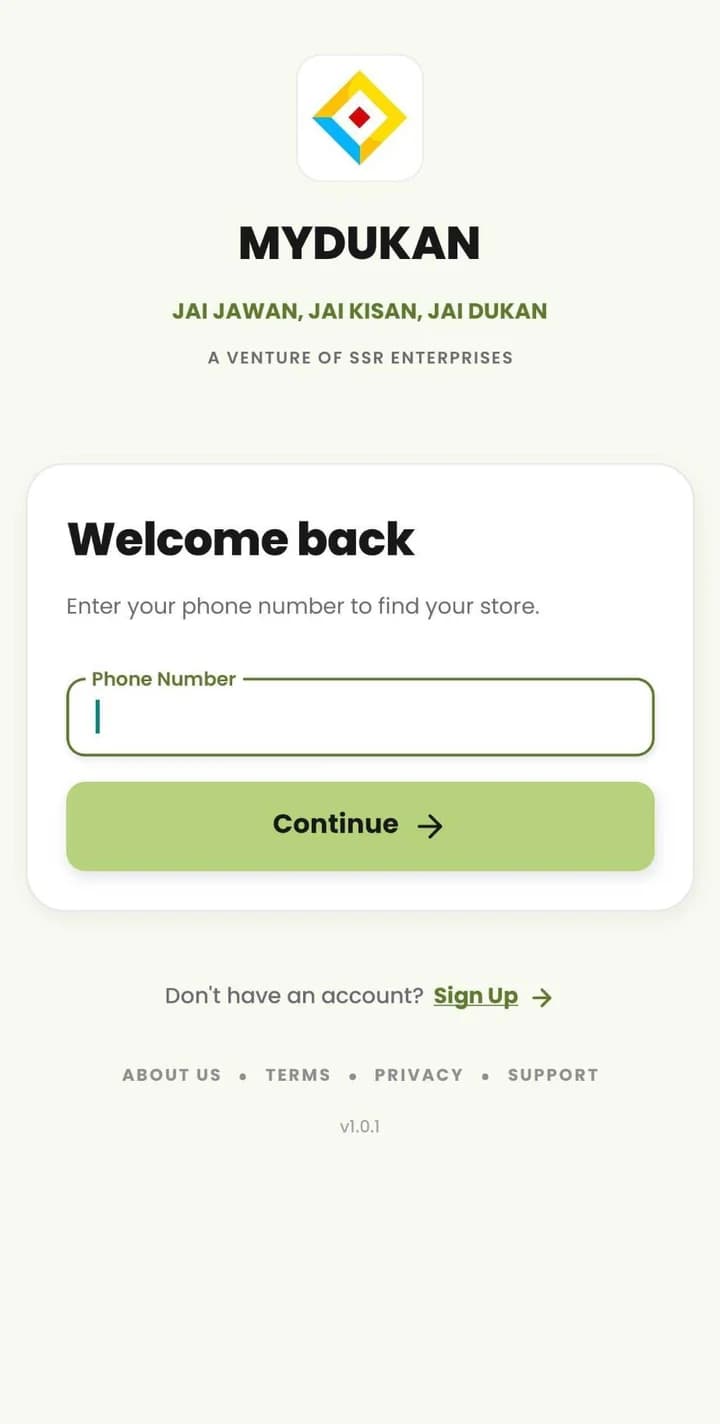
    Enter your phone number to find your store — or sign up in a few taps.

  • 02

    Home

    Sales, purchase, stock, collection and payments for today, 7 days, a month or all time — for each branch, new items or used.

  • 03

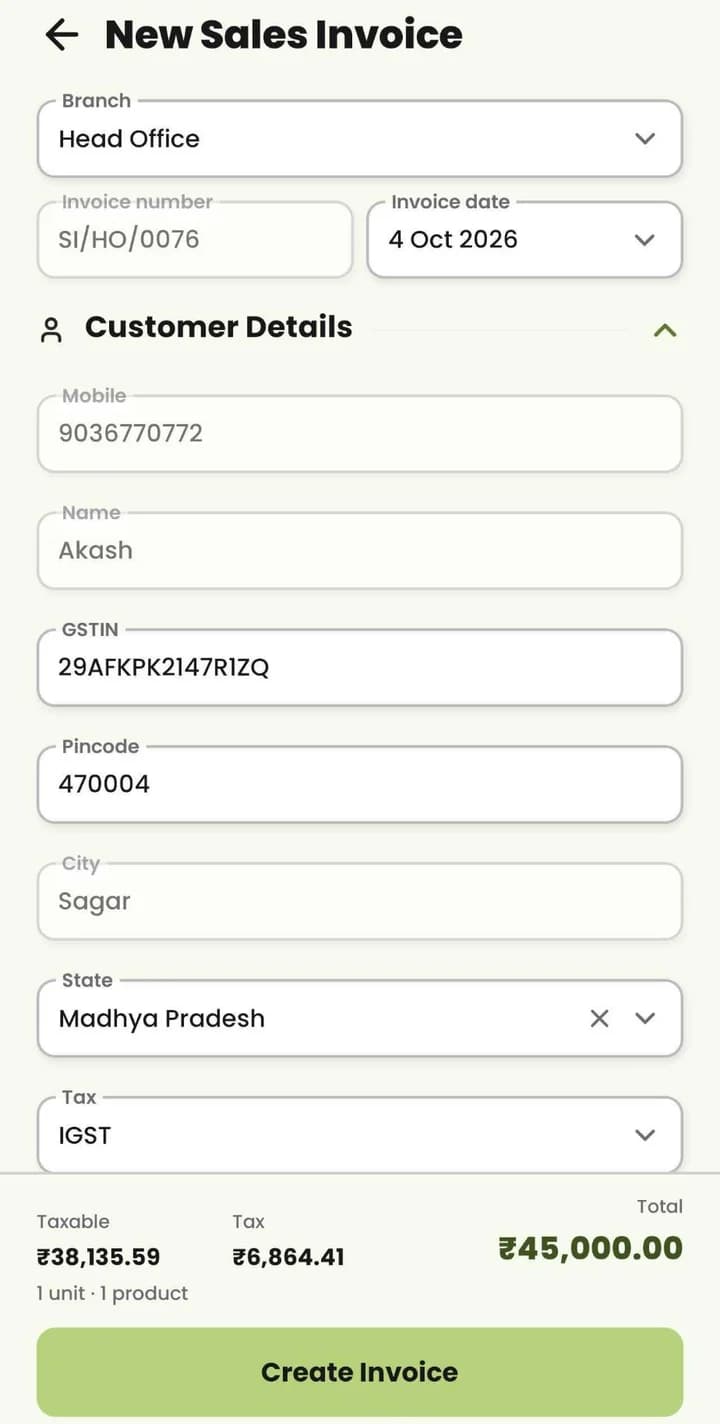
    New Sales Invoice

    Type a saved customer's mobile and their details fill in; GSTIN, state and IGST or CGST + SGST, with the total at the bottom.

  • 04

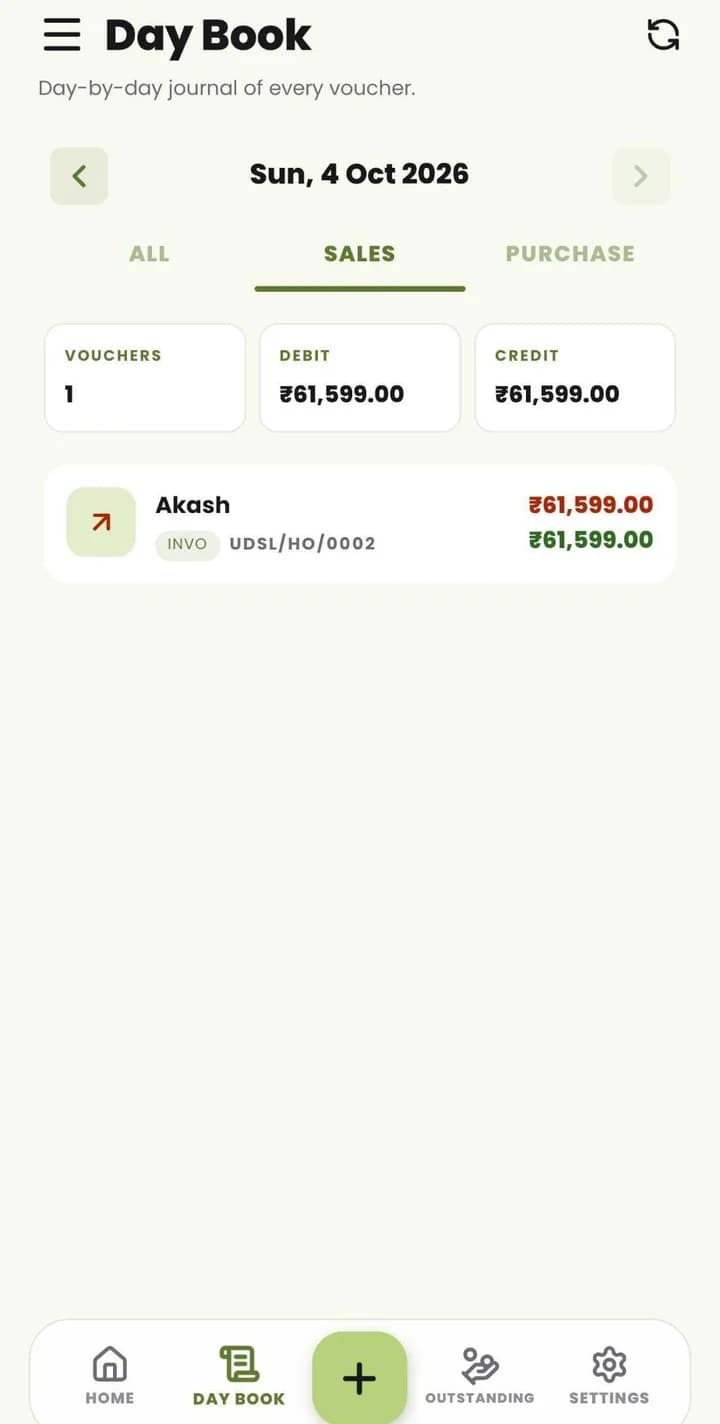
    Day Book

    Every voucher for the day, with All, Sales and Purchase tabs and debit and credit totals.

  • 05

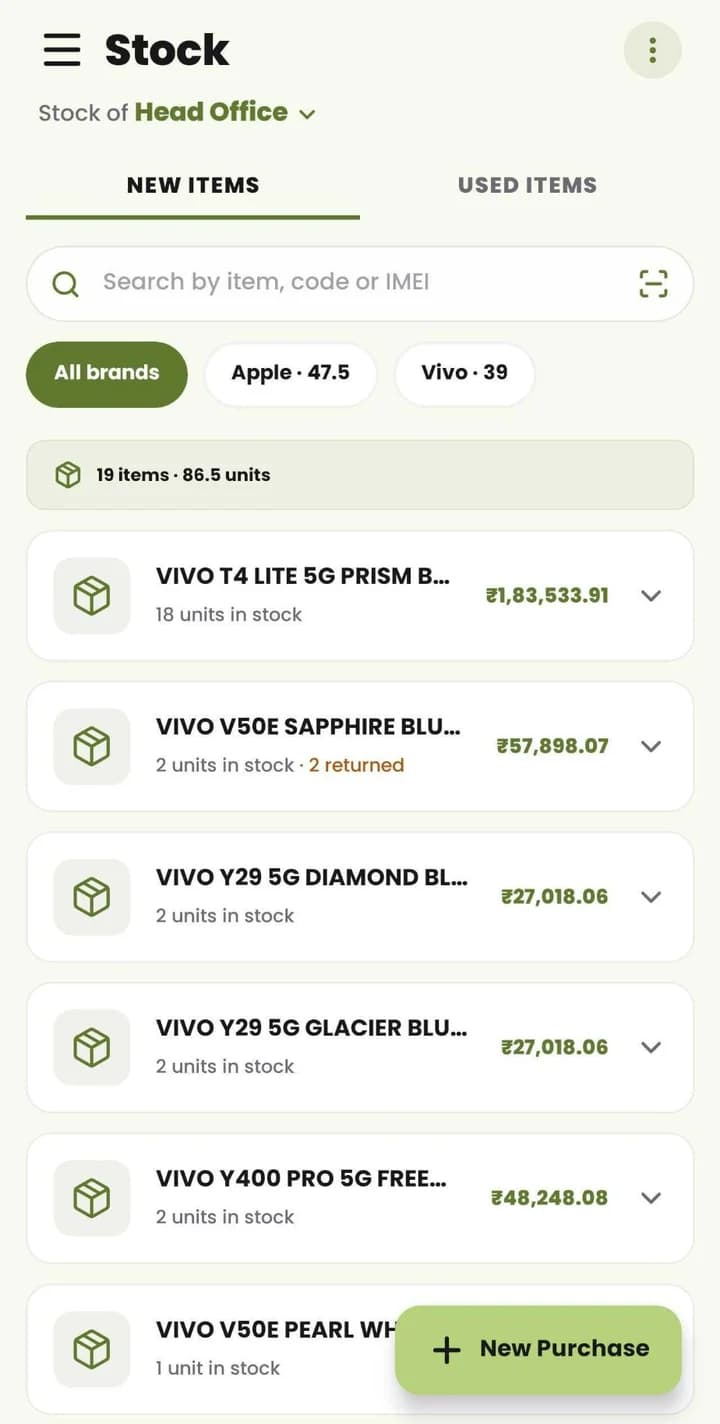
    Stock

    Stock for each branch: search by item, code or IMEI, filter by brand, and see units and value — with New Purchase one tap away.

  • 06

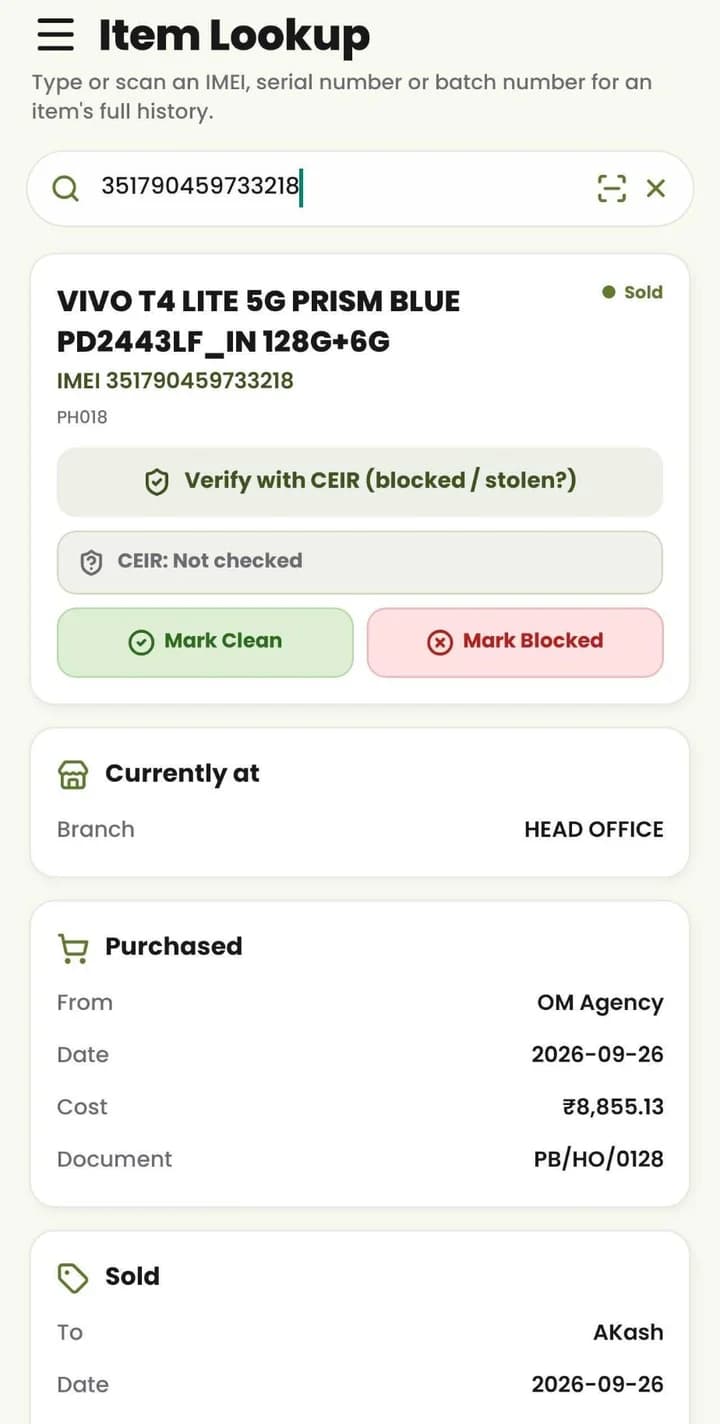
    Item Lookup

    Type or scan an IMEI, serial or batch number for the item's full history — branch, purchase, sale and a CEIR blocked / stolen check.

  • 07

    Used Items

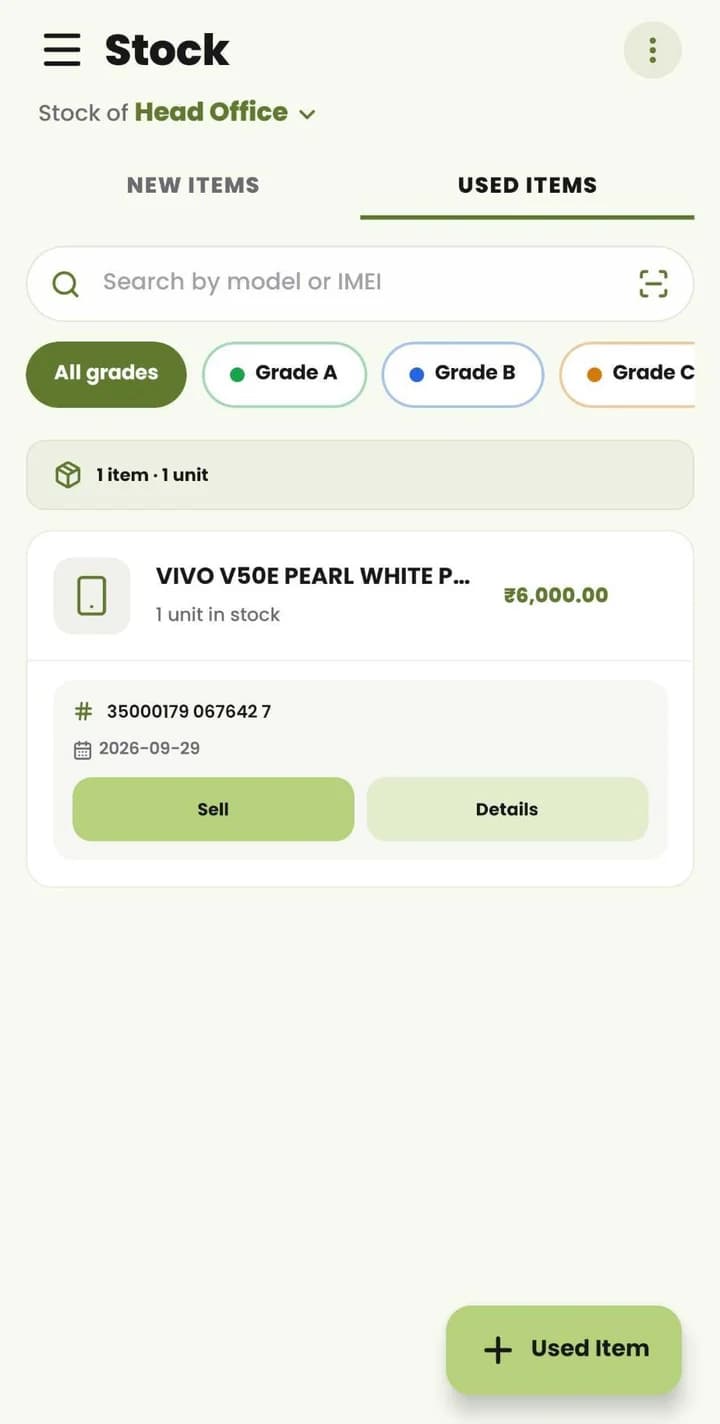
    Used phones in stock, searchable by model or IMEI and filtered by grade — tap Sell right from the list.

  • 08

    Sell Used Item

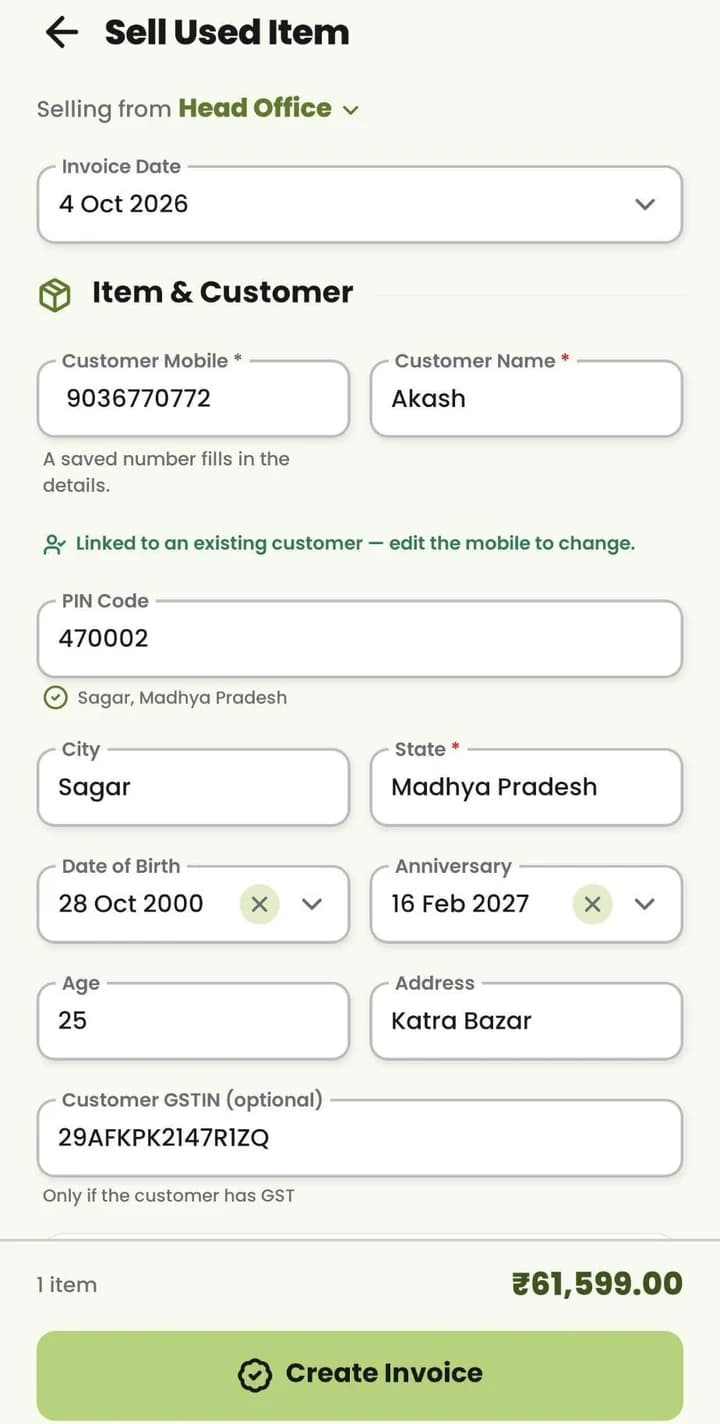
    Pick the branch, type the customer's mobile to pull up their details, and the PIN code fills in city and state.

  • 09

    Outstanding

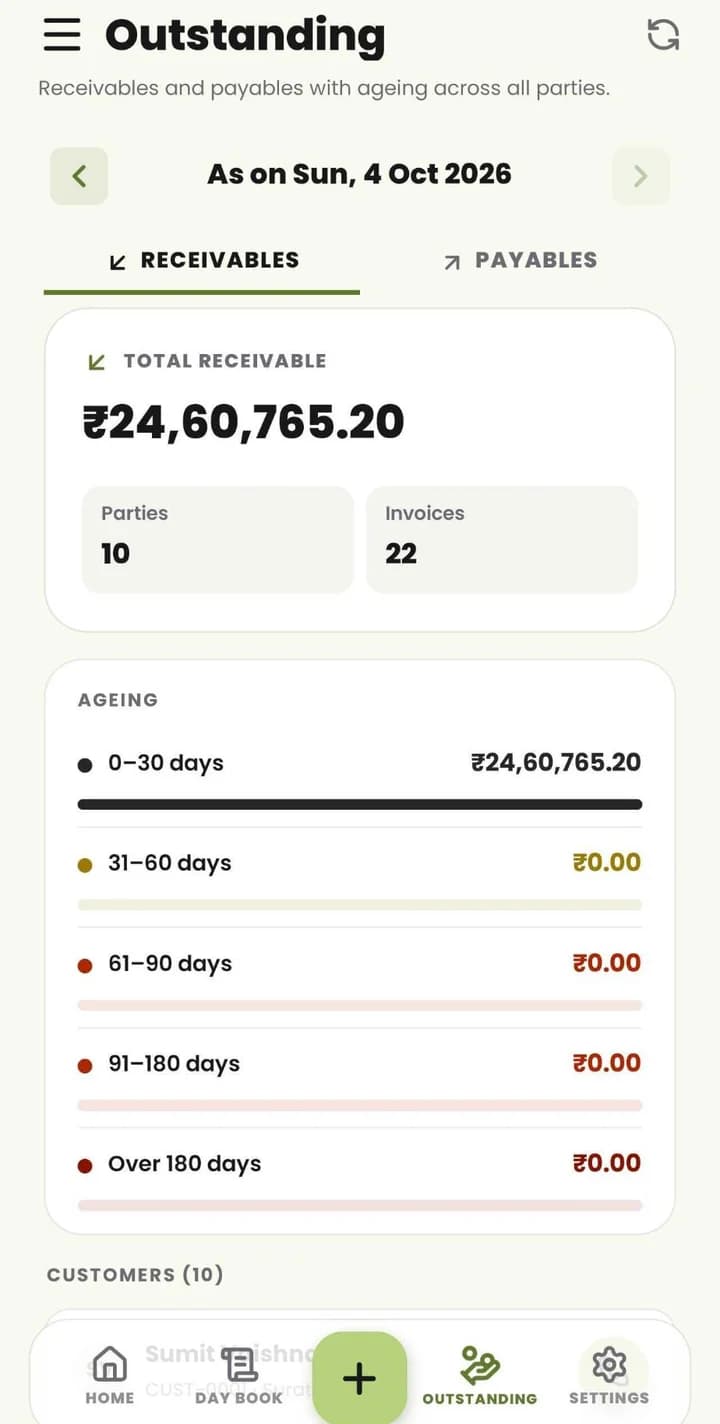
    Receivables and payables across all parties, with ageing from 0–30 days to over 180 days.

  • 10

    Reports

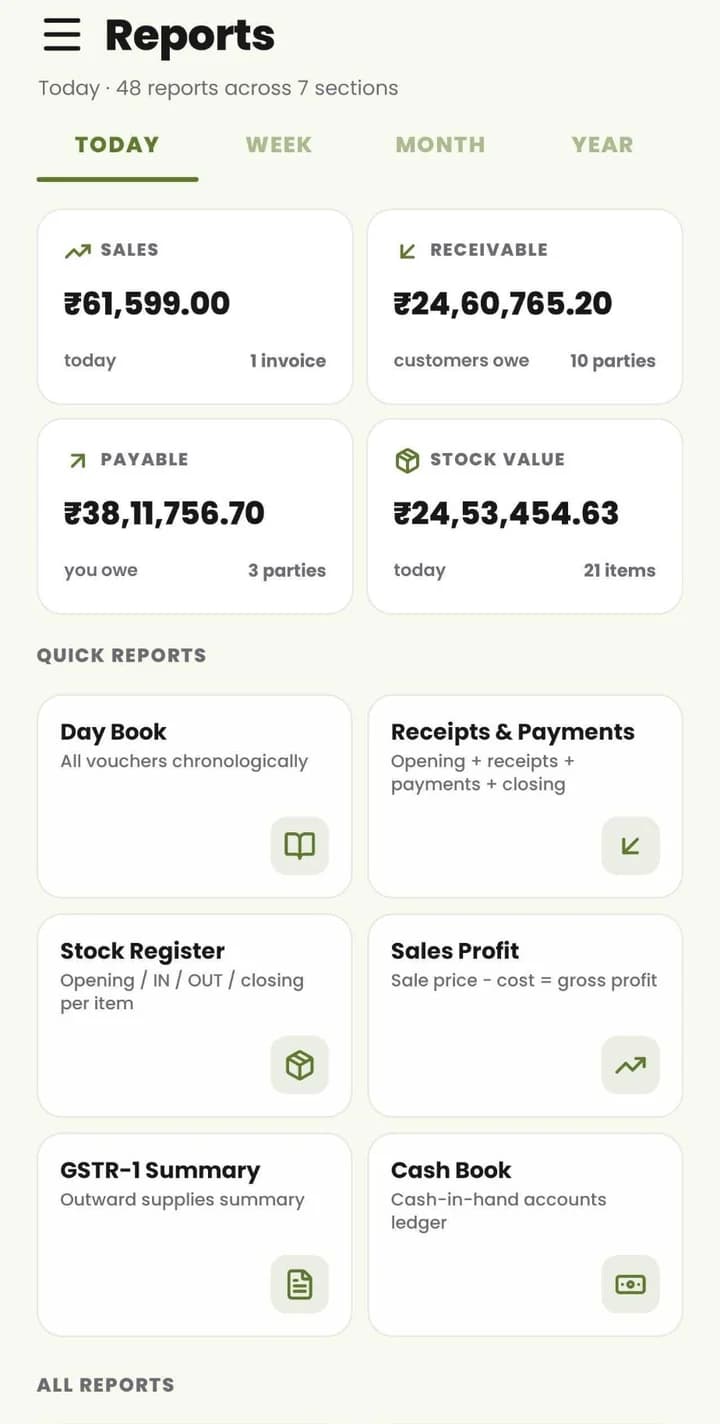
    Sales, receivable, payable and stock value at a glance, with 48 reports across 7 sections.

  • 11

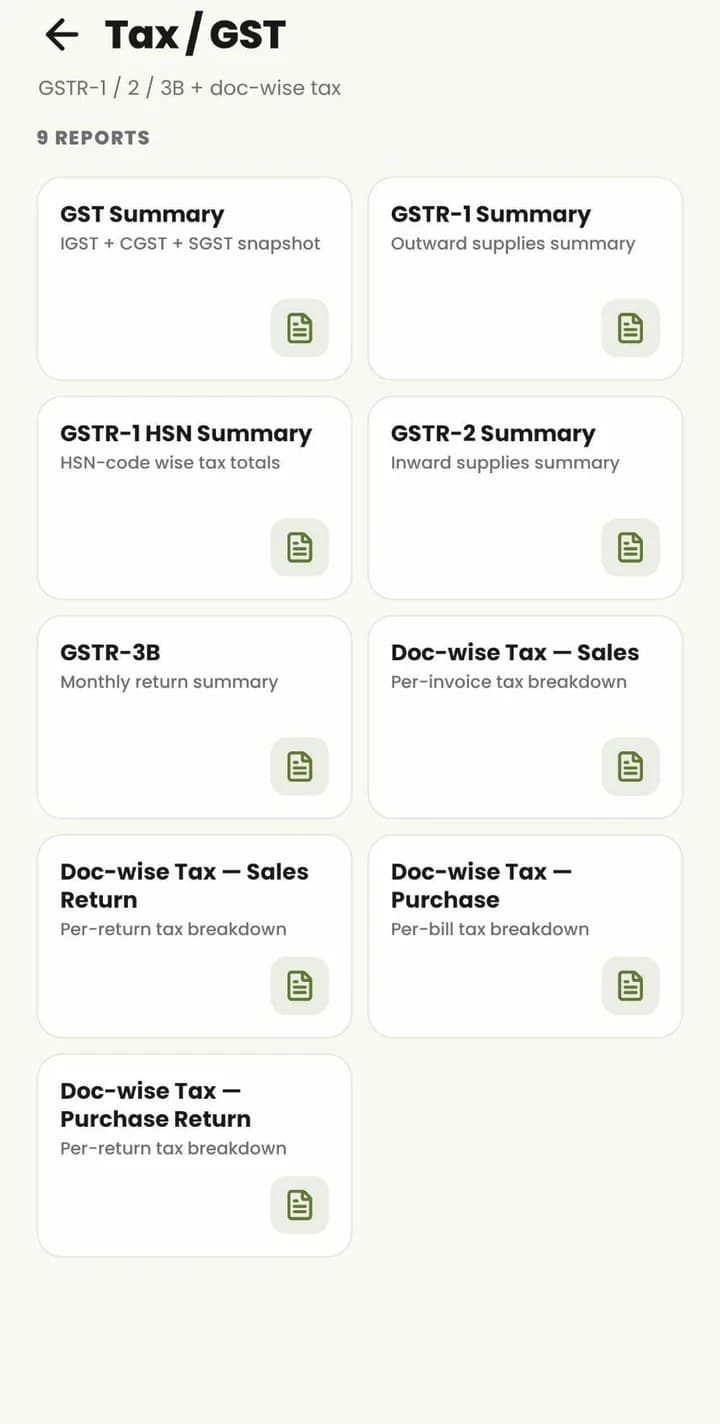
    Tax / GST

    GST summary, GSTR-1, GSTR-1 HSN, GSTR-2, GSTR-3B and document-wise tax for sales, purchases and returns.

  • 12

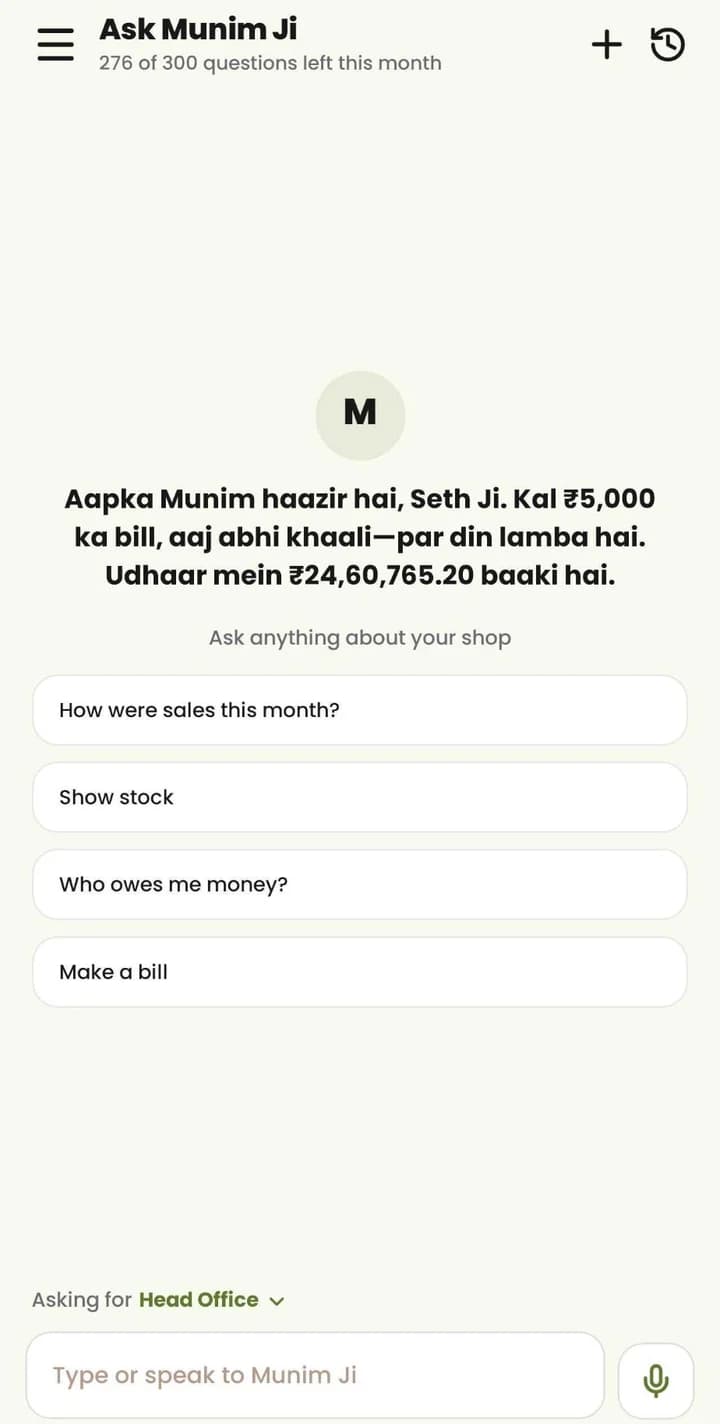
    Ask Munim Ji

    Ask about sales, stock or dues by typing or speaking — or ask Munim Ji to make a bill.

  • 13

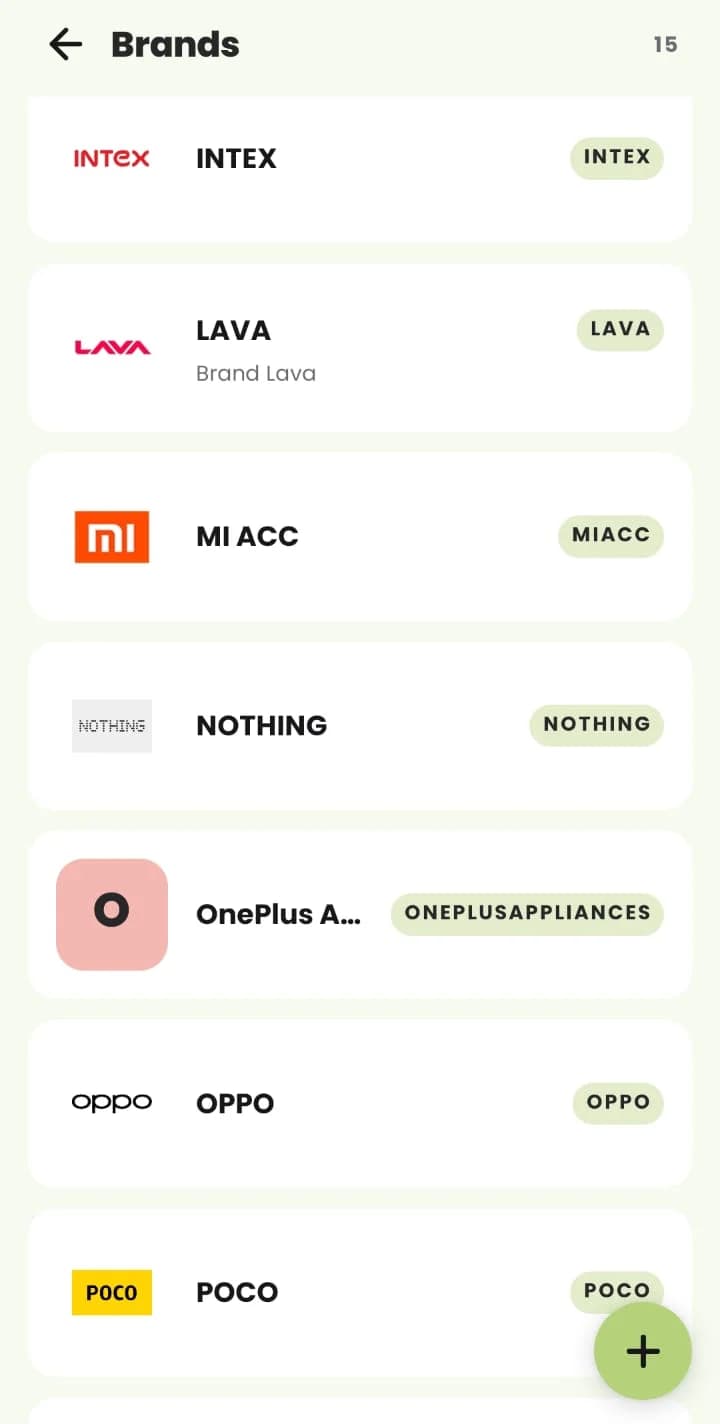
    Brands

    Your brand master, with each brand's logo and code.

  • 14

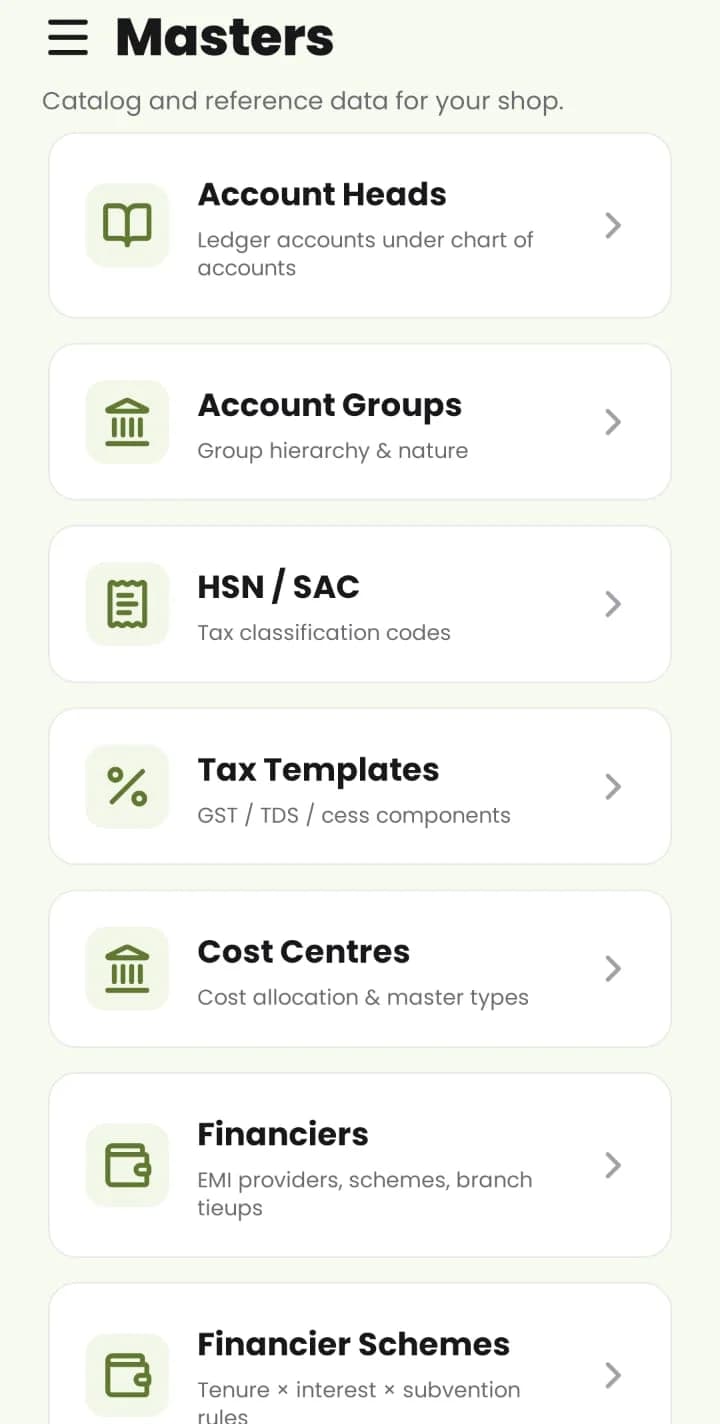
    Masters

    Account heads and groups, HSN / SAC codes, tax templates, cost centres and financiers.

  • 15

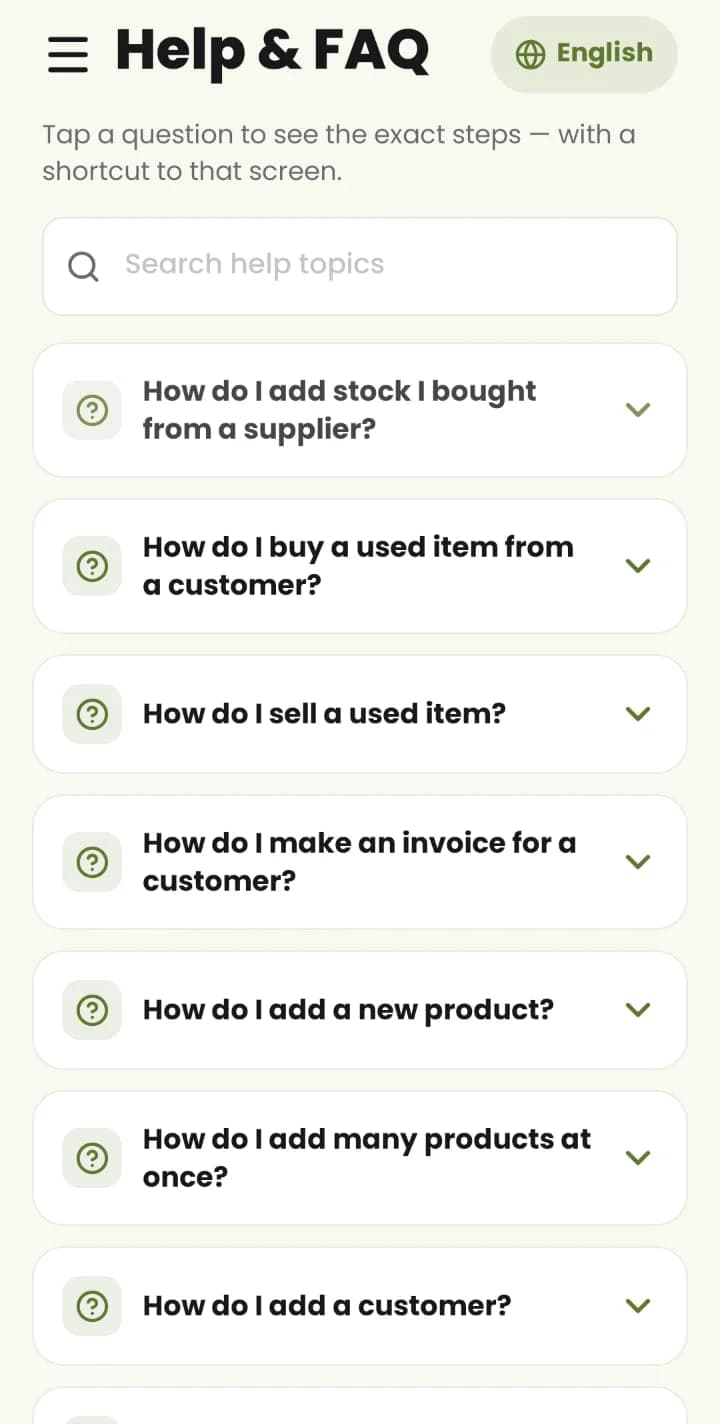
    Help & FAQ

    Tap a question to see the exact steps — from adding stock you bought to making an invoice — in your language.

  • 16

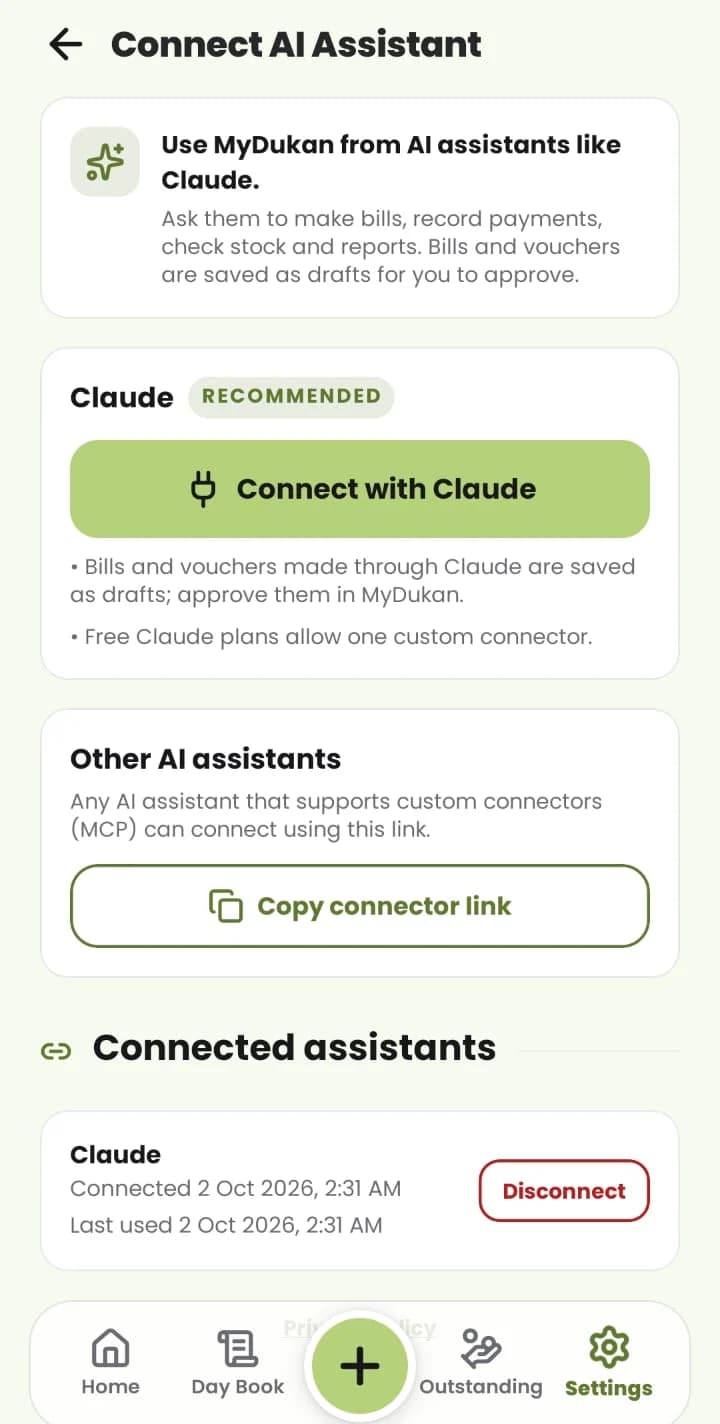
    Connect AI Assistant

    Connect MyDukan to Claude to make bills and check stock; bills and vouchers come back as drafts to approve.

  • 17

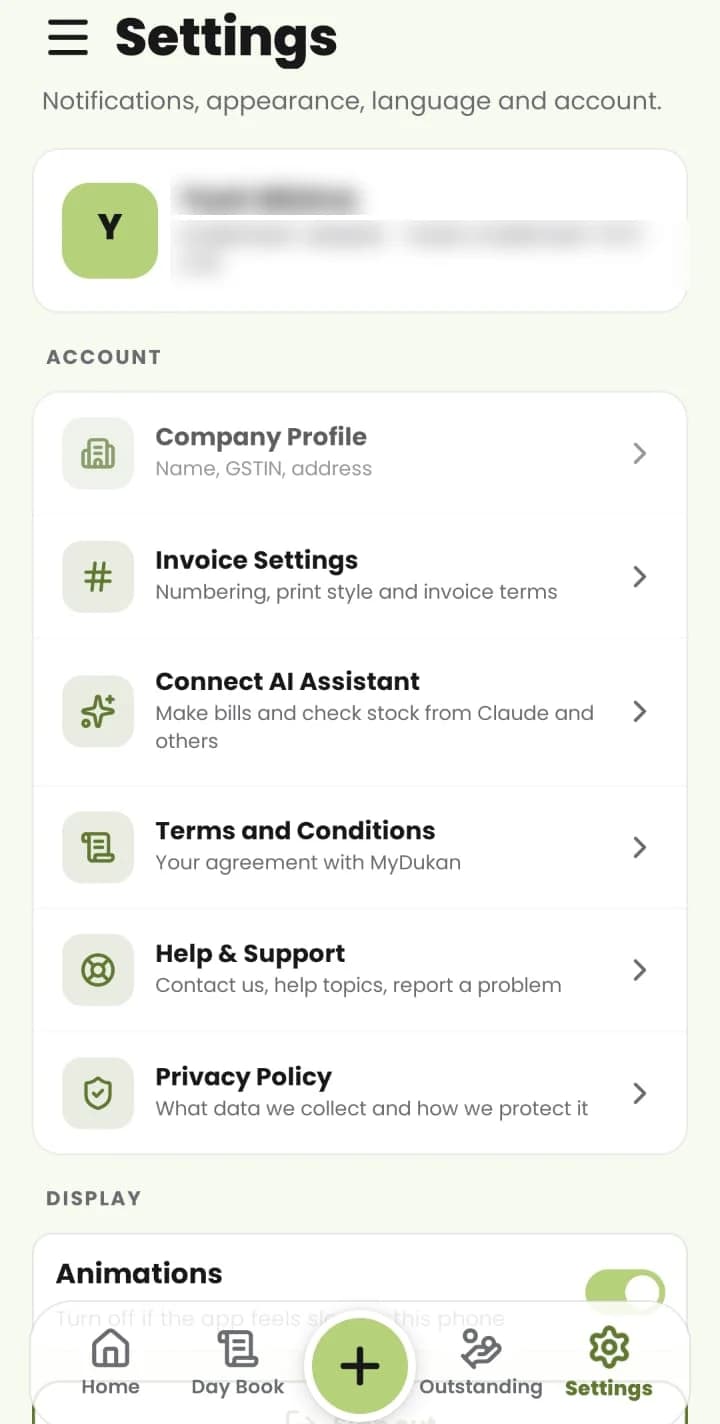
    Settings

    Company profile, invoice numbering and print style, AI assistant, terms, help and privacy.

  • 18

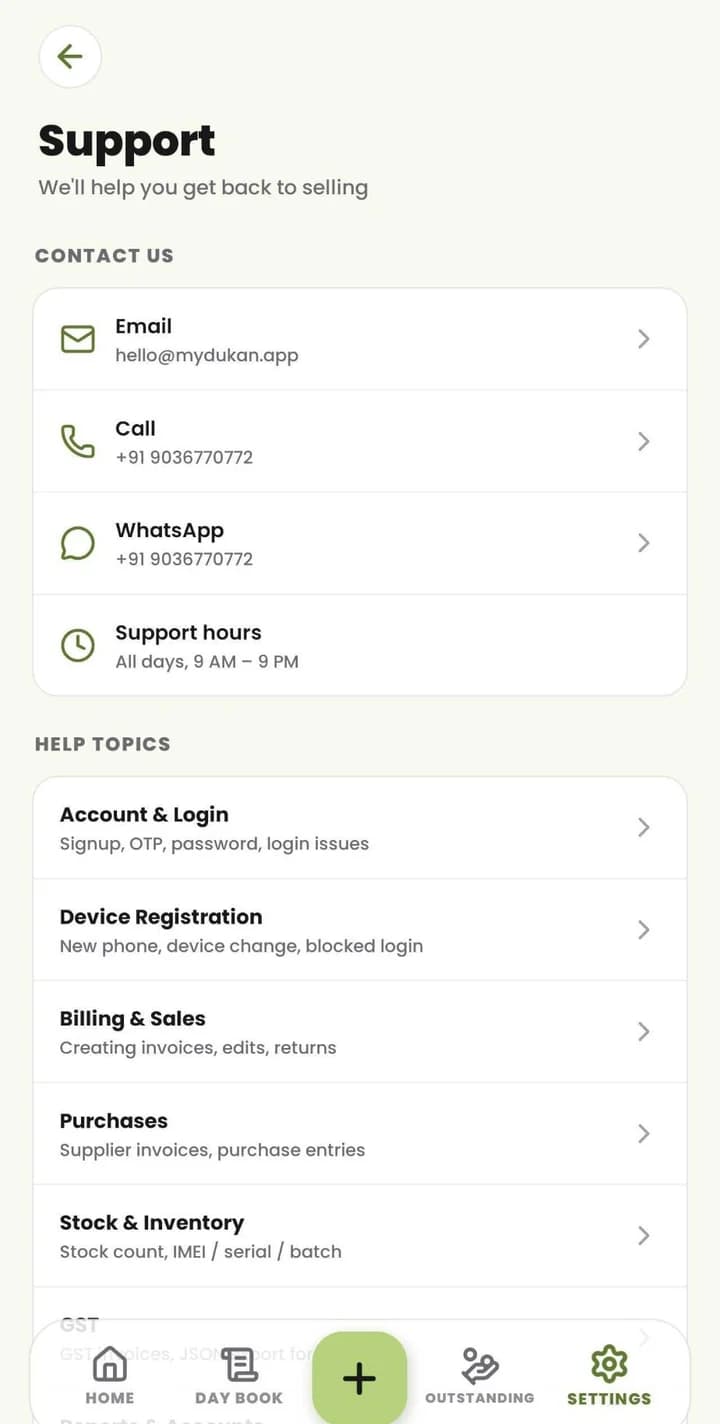
    Support

    Email, call or WhatsApp, support hours, and help topics for every part of the app.

How it works

Four steps — and Munim Ji is there whenever you have a question.

  1. 01

    Sign up

    Enter your shop details and mobile number; you're ready in minutes.

  2. 02

    Add your stock

    Tap New Purchase to bring items in; your stock then shows per branch, searchable by item, code or IMEI and filtered by brand.

  3. 03

    Start billing

    Open New Sales Invoice and type the customer's mobile — saved details fill in, with GSTIN, state and tax worked out for you.

  4. 04

    Watch your shop

    The home dashboard shows sales, purchase, stock, collection and payments for today, 7 days, a month or all time; ask Munim Ji anything.

GST & accounting

Approve a document and it posts double-entry vouchers and records GST in the same step — nothing to re-type at month-end.

GSTR-1GSTR-2GSTR-3BJSON exportReconciliation
  1. 1

    Invoice approved

    Sales, purchase or return

  2. 2

    Tax split

    CGST + SGST, or IGST by state

  3. 3

    Vouchers posted

    Double-entry, automatically

  4. 4

    Returns ready

    GSTR-1 · GSTR-2 · GSTR-3B

  • Automatic accounting

    • Double-entry posting on approve
    • Account groups & heads
    • Bank reconciliation
  • Vouchers

    • Receipts & payments
    • Contra & journals
    • Credit & debit notes
  • GST returns

    • GSTR-1 with JSON export
    • GSTR-2 & GSTR-3B
    • GST summary & reconciliation
  • Statements

    • Trial balance
    • Profit & loss
    • Balance sheet
MyDukan Stock for a branch: search by item, code or IMEI, filter by brand, units and value per item, and New Purchase
MyDukan Brands master listing brands with their logos and codes

Global item catalog

MyDukan keeps a shared list of product models and brands. Import what you sell into your own catalog — specifications come with it, prices stay yours.

  1. 1

    Global catalog

    A shared list of models and brands.

  2. 2

    Select products

    Pick the models you actually sell.

  3. 3

    Import

    Added in one tap — even from the invoice screen.

  4. 4

    Your catalog

    Your items, with your own prices.

Item tracking

The industry you pick at signup sets how new items are tracked. Each item uses one method, and you can change it item by item.

  • Live today

    Mobile

    IMEI

    Each handset by IMEI and IMEI2, from purchase to sale.

  • Available

    Pharma

    Batch

    Stock by batch and expiry; the earliest expiry is offered first.

  • Available

    Computer

    Serial

    Each unit by its manufacturer's serial number.

  • Available

    Other retail

    Quantity

    Plain quantity for items that don't need unit-level identity.

Import your data

Bring your masters across from your old software, and check a dry run before anything is saved.

Before

  • Old desktop software
  • Excel sheets
  • Paper registers

Imported

  • Brands
  • Categories
  • Product groups
  • Items
  • Price templates
  • Tax templates
  • Document types

Documents can also be bulk-imported from a spreadsheet.

Ready to buy and sell

Set prices, then start billing.

Web + mobile

A web app for the counter and back office, and a mobile app for Android and iOS — on one account, with the same data.

MyDukan Masters: account heads, account groups, HSN / SAC, tax templates, cost centres and financiers
MyDukan home dashboard for Head Office: sales, purchase, stock, collection and payments, with Today / 7 Days / Month / All Time and new or used items
MyDukan used-item stock: search by model or IMEI, filter by grade, and sell straight from the list
  • Full ERP on the web

    Purchases, sales, accounts, GST and masters.

  • Mobile workflows

    Dashboard, billing and Quick Stock In.

  • Inventory anywhere

    Scan IMEIs and barcodes with the camera.

  • Customers & reports

    One account, the same data on both.

On the web: keyboard shortcuts for busy counters

  • F2Sales invoice
  • F8Payment
  • F9Receipt
  • CtrlTStock transfer
  • CtrlHIMEI lookup
Try MyDukan Web App

Works with

The tools your shop already uses

  • GST portalGSTR-1 exported as JSON for upload
  • SpreadsheetsBulk-import documents from a sheet
  • PDF documentsInvoices, challans & returns as PDF
  • Camera scannerIMEI & barcode scanning on mobile

Why MyDukan

  • One connected system

    Purchases, sales, stock and accounts update together when a document is approved — so the numbers match.

  • GST billing, done right

    GST split on every bill, HSN codes, GSTR returns and prices in ₹ — the way Indian businesses work.

  • Fits any trade

    Track items by quantity, IMEI, serial or batch — the software adapts to what you sell.

  • Web + mobile

    A web app for the counter and back office, and an Android & iOS app for the floor.

Our story

Jai Jawan, Jai Kisan, Jai Dukan – MyDukan!

MyDukan began in 2016 as the dream of our founder, Radha Krishna (RK Sir). He believed every shopkeeper in India deserves the same strength and respect as our soldiers and farmers – and the same quality of tools as the biggest companies.

Big businesses can afford costly software, accountants and monthly fees running into thousands or lakhs. But a small shopkeeper in a village or a small town works on thin margins. For him, even ₹1,000 a month is a lot. So many shops still run on paper registers, and lose time and money every day.

MyDukan is built to change that. Good software should not be only for the big players. It should reach every shopkeeper – simple to understand, in your own language, and truly affordable. From a single counter in a small town to a chain of hundreds of stores, MyDukan is for everyone.

Over the years, hundreds of people have worked on this dream. Today, with a new team and the power of AI, we are building it again – bigger, simpler and smarter.

Every invoice that prints correctly, every ledger that adds up to the paisa, every screen a shopkeeper understands without help – that is our promise.

Who it's for

  • Small shops in villages and small towns (mobile, electronics, and every kind of retailer)

  • Multi-branch chains running hundreds of stores

  • Shop owners who want their accounts ready without depending on a CA every day

Our team

A product team building the retail ERP that Indian shops use every day.

  • Radha Krishna, Founder & CEO at MyDukan

    Radha Krishna

    Founder & CEO

  • Akash Godre, CTO at MyDukan

    Akash Godre

    CTO

  • Kuldeep Raj, Senior Software Engineer at MyDukan

    Kuldeep Raj

    Senior Software Engineer

  • Khushi Rathore, Senior Software Engineer at MyDukan

    Khushi Rathore

    Senior Software Engineer

  • Divyanshu Kubde, Junior Software Engineer at MyDukan

    Divyanshu Kubde

    Junior Software Engineer

  • Anurag Rajpoot, Junior Software Engineer at MyDukan

    Anurag Rajpoot

    Junior Software Engineer

FAQ

Who is MyDukan for?

Every retailer – from a single small shop to chains with hundreds of stores. It started with mobile and electronics shops and now works for all kinds of retail.

Is it affordable for a small shop?

Yes. That's why MyDukan exists – good software shouldn't be only for big companies.

Do I need an accountant to use it?

No. Invoices, GST and accounts are kept as you work, and reports are ready to share with your CA whenever you need.

Can it track phones by IMEI?

Yes – every unit by IMEI, serial number or batch, with camera scanning.

Does it handle used phones?

Yes – buying with seller KYC, selling, returns, and paying sellers now or later.

What is Munim Ji?

MyDukan's smart assistant. Ask about sales, stock or dues in your own language, or let him prepare documents for you to approve.

Does it work with multiple branches?

Yes – branches, stock transfers, users and access rights.

Which devices?

Android, iPhone and the web app (web.mydukan.app).

Is my data safe?

Yes – secure login, fingerprint / Face unlock, and new devices need approval before they can sign in.

How do I delete my account?

From inside the app, or through our account deletion request form: mydukan.app/delete-account

Ready to Simplify Your Business?

Purchases, sales, stock, accounts and GST — connected in MyDukan, on the web and on your phone.